Showing posts with label Cool Tricks. Show all posts

Monday, May 3, 2021

Hide Your Contact Name On WhatsApp Without App

Hide Your Contact Name On WhatsApp Without App

Hide Your Contact Name On WhatsApp Without App

Hide Your Contact Name On WhatsApp Without App


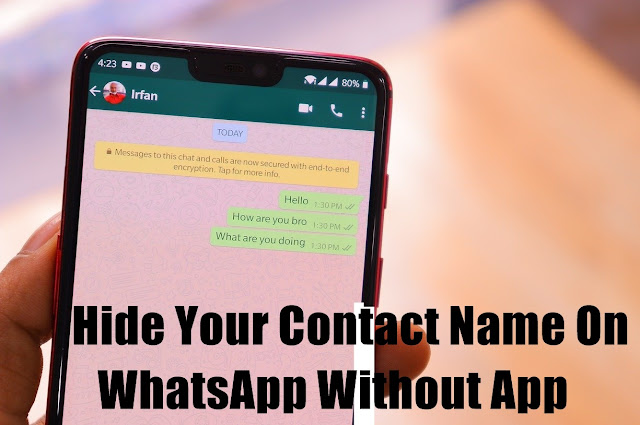
Hide Your Contact Name On WhatsApp: Do you want to hide your contacts on WhatsApp Without App so when they send a message, they don't show up in your contacts list or on your WhatsApp chat screen?

We're not talking about removing the Phone number's Name because, believe it or not, if you remove the name, the phone number will remain, and if the individual sends you a message, it will show in your chats.

Hide Your Contact Name On WhatsApp


There are a number of reasons why you do not want your contacts to be available on the chat screen and list. Some of them include message awareness, privacy and protection, and the list goes on.

The (slightly) bad news is that you won't be able to do this with regular WhatsApp because it lacks that function.

On regular WhatsApp, the only way to do this is to block and delete said contacts, which you obviously don't want to do in this situation.

Hide Contact Name On WhatsApp


This trick can be accomplished in a matter of seconds using modified versions of WhatsApp.

To begin, download a modified version of WhatsApp; we recommend GBWhatsApp, but other WhatsApp mods are equally effective.

Gbmod.co is one of the most reliable places we suggest for GBWhatsApp downloads.

After you've downloaded the GBWhatsApp apk, you'll need to install it.

You must complete the mandatory registration process, which includes entering your phone number, verifying your identity, and generating a security pin. Basically, it's the same as using WhatsApp normally.

If you're concerned about losing your data and chats if you move from regular WhatsApp to GBWhatsApp, you should Know this first Your Data is safe.

  • After you've completed the setup, you can use GBWhatsApp.
  • When you first open the app, you'll see your chat screen.
  • WhatsApp will show the name of the contact you want to conceal if you tap and hold it.
  • Next, press the three menu dots in the upper right corner of your screen to see a list of choices.
  • Select Hide:
  • You'll be prompted to enter the unlock pattern and a recovery query.
  • The contacts will no longer appear in your chats after that.
  • Simply tap on the WhatsApp title bar at the top of your computer to activate the Chats.
  • Let the conversation begin!

In Conclusion:


So friends I hope you like my Post Hide Your Contact Name On WhatsApp Without App, if you have any questions about this post then tell us in the comment box below, and don't forget to share this post with your friends on Social Media.

Also Read:

Sunday, April 14, 2019

Best Whatsapp Chat Keyboard

Best Whatsapp Chat Keyboard

Best Whatsapp Emoji Chat Keyboard

Best Whatsapp Chat Keyboard


Hello, guys today we are going to talk about Best Whatsapp Chat Keyboard which will obviously help you in making your Whatsapp chat attractive. As you guys know Whatsapp is one of the famous social media platforms after Facebook and youtube so everyone who is using the internet must use Whatsapp.

Whatsapp Emoji Chat Keyboard


Clickey: Express Whatsapp Emoji Chat Keyboard

Clickey: Express Whatsapp Emoji Chat Keyboard

Clickey: Express Status Downloader, antivirus tested the Emoji Keyboard Application, this application is trustworthy. Application rating on mobile devices is 5. Star To learn more about this developed company/developer, you can visit the Apps website.

New Clickey: Express Status Downloader, Emoji Keyboard APK that supports 4.1.x API and above can be downloaded and installed. Use your favorite browser to download the app and click Install to install it. Please note that compared to the original and pure APK file, we provide a quick download speed.

The Clickey: the emoji keyboard mirror, the Express Status Downloader. You can also download the free APK of Clickey: express status downloader, emoji keyboard and use a popular Android emulator or mobile phone to run it.

Keyboard Features:


  1. Make your chat keyboard transparent in order to fill the full chat screen with your choice of wallpaper for a unique and great beauty.
  2. In any conversation with the photo gallery, you can easily select and send your favorite emoticons and emoticons based on your own chat history.
  3. Add new WhatsApp site contact or open a new Whatsapp conversation with a single click directly from another application (e.g. LINE, Messenger, iMessage, etc.).
  4. Express Status Download enabling you to save and resubmit any Whatsapp status video on your phone at any time.
  5. Write in a message several text styles: select and strikethrough.
  6. Send various people your stickers, GIFs, videos and favorite photos without changing the application to find the files. With the same click, share the best fun and great things.
  7. Easy access to all images and videos sent in an organized file throughout the WhatsApp conversations.

Clickey: Express Whatsapp Emoji Chat Keyboard APK can be easily downloaded from your mobile phone by clicking the Download button below.


Watch Video:

In Conclusion:

So, Friends, I hope you like my article Best Whatsapp Chat Keyboard if you have any question about this article then you can ask me in the comment box Below.

Also Read:

Saturday, April 13, 2019

Read Whatsapp Messages in Your Language

Read Whatsapp Messages in Your Language

Read Whatsapp Messages in Your Language

Read Whatsapp Messages in Your Language

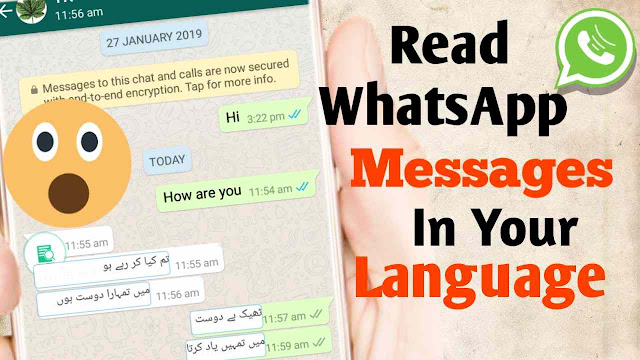
Hello, friends welcome to my blog today we are going to talk about how to Read Whatsapp Messages in Your Language. You're in the right place if you want to solve your English problem. Snap trans app is the best mobile phone translator app. Just give it permission for accessibility and enjoy the latest translator.

WhatsApp Language


SnapTrans - language translate,translate text

Read Whatsapp Messages in Your Language

SnapTrans can translate English into Hindi or other languages or dialects in one step for almost any application(Facebook, WhatsApp, Messenger, etc.). Using this app, you can translate any text into your mother tongue to make it easier to read, chat with foreign language friends.

You will see the text translated into the desired language in no time with a simple drag.

SnapTrans is a 33-language free instant language translation app.


Main Features:


1. Bubble text translate


Drag the translation ball onto the bubble text in all kinds of social chat applications, it can change the language you know, and communicate directly with friends of the foreign language.

2. Input box text translate


Enter any language in the input box, simply drag the translation ball into the input box and the text becomes your friends ' language.

3. App language translate


Open any app and double - click the translation ball quickly, the entire text in the app becomes the language you know. More interesting and novel applications can be found in foreign countries.

4. Quick setting, intelligent translation


The translation ball will be smartly translated between 33 languages with a simple drag. Like English to Hindi, Tamil to Hindi, Tamil to English, English to Gujarati, etc.
Download App from the following link below.


Watch this Video

In Conclusion


So, friends, I hope you like my article Read Whatsapp Messages in Your Language if you have any questions about this article you can ask me in the comment box below.

Also Read:

Monday, April 1, 2019

Best App to Copy a Website Template

Best App to Copy a Website Template

How to Copy a Website Template

Best App to Copy a Website Template

Hello, friends, All of you are very welcome in a new post. Friends In today's article, I am going to give you Best App to Copy a Website Template. You will need an app for this because we are going to teach you to copy coding from mobile. You have to download that mobile app So let me tell you from the beginning how to copy website code. As we tell you, you can copy any Website Template and within 1 minute that too from your mobile.

Copy a Website Template


HTML Viewer

Best App to Copy a Website Template

1. First of all, download the app from the Play Store with the download link below. For this, you have to click on the link given below. After that your play store will open automatically, you just have to wait and just wait. Do not skip. Once the Play Store is open, now click on the install button.


2. As soon as you open this application, there will be some interfacing in front of you as you are looking at the photo below. Now, look carefully at what you have to do. Now copy the URL of the website of that website you want to copy the Html Code, and then enter the URL of the website where the URL is written in the application on this application. After putting the URL you will see an option You will also be able to see the View Source Code, then you have to click on it. As soon as you click on it, you will find the complete source code of this website. Now you can copy the full source code of the complete website, and after copying, you can use this code in your website.
Best App to Copy a Website Template

3. Now just have to take care of one thing that you have copied the source code or script in it, some links have come to the website that you copied the source code because they kept too many links in their website was. Because of this, her gender has also come in your source code, then you have to find those links and delete that link and you can also link it there.


Watch This Video

In Conclusion


So, friends, I hope you like my post-Best App to Copy a Website Templateif you have any question about this post then you can ask me in the comment box below.

Also Read:

Friday, March 29, 2019

Top 3 Best Free VPN for Android

Top 3 Best Free VPN for Android

Best Free VPN for Android

Top 3 Best Free VPN for Android


Hello guys, I'm back with another amazing application series article. I've been a little busy in my offline work so I won't be able to review the application article but now I'm going to tell you about Top 3 Best Free VPN for Android. I'm always going to pick apps from different categories like some apps are educational and some are fun or some other useful categories. So let's move on the subject without wasting any more time.

What is a VPN?


A VPN or Virtual Private Network enables you to establish a secure Internet connection to another network. You can use VPNs to access region-restricted websites, shield your browsing activity from public Wi-Fi eyes, and more.

How to setup VPN on Android Phone


You can download all Android apps approved by Google from the Google Play Store.


  • Open your device's Google Play Store app.
  • Alternatively, if you are signed into your Google PC account, visit Play. Google.com.
  • Type in the search box the name of the app you want to download and click 'install' or 'buy'.

While it is possible to bypass the Play Store by installing Android Application Package (App) files directly into the storage of your device (and this option is offered by some of the providers reviewed), this is significantly more likely to introduce viruses into your system. If you are a user of VPN, we recommend that you continue playing it safely.


Top 3 Best Free VPN


1: Super VPN

Top 3 Best Free VPN for Android

SuperVPN is a solution developed by a team of IT experts who have worked for over a decade with web hosting services. Since 2010 this VPN service has been operating and is proud to offer high-quality customer service and advanced technology. The U.S.-based provider has servers in multiple locations around the world. Global coverage is satisfactory, allowing users from all continents to defeat restrictions and censorship. The server network is continuously monitored to ensure the best performance for customers. SuperVPN also aims to protect the privacy of its clients. We will find out in this review whether they can meet the expectations of users looking for high security, privacy and the ability to bypass blocks.

From the following link, you can download this app.

2: Turbo VPN

Top 3 Best Free VPN for Android

Due to its simplicity, performance, and reliability, Turbo VPN has secured its place as the best Android VPN app. With in-app ads, the app is free, which are not almost intrusive enough to bother us. Turbo VPN generally offers better speeds compared to other free VPN apps, but you still experience the occasional slowdown when too many people simultaneously use the service.

The app's highlight is its super - simple user interface. It only takes a single tap on the screen to activate the VPN service after you launch Turbo VPN. You can enjoy regionally restricted content or private web browsing once the connection is established.

Key Features:


  • Lite in size.
  • Offers Better speed Than other free VPN.
  • Easy – One tap for connecting to the VPN server proxy.

3: Touch VPN

Top 3 Best Free VPN for Android

If you want to connect to the interface of an app, it's easy to use and you can easily use it to open the app, you'll be able to access the server, or you can use it, but if you want to connect to your server, you'll be able to connect and select the server you want to use when you're using it.

Encrypts VPN data using Secure Socket Layer (SSL) which maintains a secure and encrypted server-client connection. Compared to other VPN applications, the app also helps save the device's battery. For those looking for an app that offers these two features, this makes it very good. That's why I've used this app in our Top 3 Best Free Unlimited VPN for Android list.

In Conclusion


So, Friends, I hope you like my post. Top 3 Best Free VPN for Android, if you have any question about this post then you can ask me in the comment box below.


Also Read:

Best Instagram Apps for Android

Thursday, February 21, 2019

How to Block & Unblock Number in Android Phone

How to Block & Unblock Number in Android Phone

How to Block & Unblock Number in Android Phone

How to Block & Unblock Number in Android Phone
How to Block Numbers in Android Phone Many times we have mobile calls which we do not like. It is better to block such calls. Some people are deliberately disturbing by calling. If you have a call from an unknown number or disturbed by calling an unknown number repeatedly, then you can put the number in the blacklist, after which the person will not be able to call you.

Most problems of having trouble by calling from an unknown number are with the female. However, sometimes problems with this problem also get bothered. If you are also disturbed by an unknown call or number, then you must know about how to block numbers in Android mobile. Today we are going to tell you about this.

How to Block Numbers in Android Phone


Telling you that blocking calls in Android mobile is quite easy. There are already many options to put call blocking or blacklist in the mobile, but some mobile you do not get this feature. If your Android is not an option of blocking calls to mobile multiple apps does not need to worry because Playstore which assures rid of Unknown Callers you.

Today, we are going to tell you about an app with the help of which you can easily block any number. This app is called Mr. Number Block Call. Let me tell you that this app has installed more than 10 million people in Playstore. Its rating is 4.3. Which is considered quite a good rating. So let's know how to block the call from this app.

How do Numbers Block in Android phones


To download this app, first, you have to go to Playstore on your mobile and search by writing Mr. Number Block Call. After this, you will see the name of this app at the top. You have to download and install it.

After opening this app you have to tap Get Started.

After this, you have to verify your number. Which means that these apps will be able to access your call history and contact numbers.
How to Block & Unblock Number in Android Phone

You will now have a call history in front of you. To block the number you have to go to the blacklist of this app. You can go to the blacklist by tapping on the block sign below this app.
How to Block & Unblock Number in Android Phone

After this, by tapping on Plus sign, there will be 4 options for blocking numbers like you.
How to Block & Unblock Number in Android Phone

Enter a Number- You can block any number by typing this option from this option.

Recent Call Or Text- With this option you can block your instant call.

Choose From Contacts- If you want to block any number from your contact number, you can use this option.

Numbers That Begin With- This option is very useful for blocking the company's call because the number of calls from most companies starts with the same number.

So in this way you can block any mobile number with the help of Mr. Number app. This app has many more features that you can know after using this app.

How To Unblock Number In Android Phone


If you want to unblock the blocked number on the Android phone, then you have to go from Papas to this app's homepage. After this, tap on the Block sign. Here you will find a list of the numbers that you have blocked. Next to these numbers is the option to remove which you can easily unblock the number by tapping on.

In Conclusion:


Now you may have known how to block numbers in Android phones. It is easy to use this app. This allows you to get rid of unwanted calls. If someone harms you by calling you, you can put his number in the blacklist. Apart from this, you can also block unwanted calls coming from the company. If you liked this information, please share it with your friends on social media so that your friends will be left with this kind of useful app.

Also Read:

Tuesday, February 19, 2019

How to Record WhatsApp Calls

How to Record WhatsApp Calls

How to Record WhatsApp Calls

How to Record WhatsApp Calls

Hello friends, if you want to know How to Record WhatsApp Calls, then this application is for you to install this application. I kept the link below. If you want to know more about the details of this application, then you can visit my Youtube channel Technical Kashmiri, Now friends, there's a good thing about this application that you'll record all WhatsApp calls.


Cube Call Recorder ACR APK


How to Record WhatsApp Calls

In the most popular VOIP apps, Cube Call Recorder allows you to easily record your Whatsapp incoming and outgoing phone calls and conversations.
Cube Call Recorder supports:

-Phone calls;
-Skype;
-Viber;
-WhatsApp;
-Hangouts;
-Facebook;
-IMO;
-Slack;
-more coming soon!

Quality of crystal clear sound! Cube Call Recorder allows you to record the best possible quality of your calls and conversations.

Simple to use! 


Record your calls when and how you feel comfortable:
  1. Each call is automatically recorded: Record each conversation when it begins.
  2. Record selected contacts automatically: Create a list of people with whom you want to record all conversations.
  3. Recording by the manual: Tap the mid-call record button to only record selected conversations or parts of them.
  4. Playback in the app: Cube ACR has an integrated file explorer to manage, play, delete or export your recordings to other services or devices.
  5. Switching to an intelligent speaker: Bring the phone to your ear when playing to switch from loudspeaker to earspeaker to listen to your recordings privately.
  6. Recordings starred: Mark and filter important calls for quick access.
  7. Call back and open contacts directly from the app.

Best Features of Cube Recorder ACR


Easily configure the Cube Call Recorder ACR to work with.


Multiple audio sources: Select the audio source to be used to record conversations on your device to improve quality and compatibility.
Override short calls: You don't want to record short talks? To ignore them, set Cube Call Recorder.
Simple controls: Manage your recording process easily with the widget and functional controls.
Works with tablets: Even if your device doeminimalists not support cell phone calls, you can record Skype, Viber and WhatsApp conversations using Cube Call Recorder.


Note: If it doesn't work on your device or you only hear yourself on the playback, try changing the source of the recording in the settings or use the speaker mode automatically.

Watch Videos

In conclusion:


So, friends, I hope you like my article if you have any question about this article then you can ask me in the comment box below and don't forget to share my post with your friends on Social Media.


Also Read:

Sunday, January 20, 2019

How to Send Apps on WhatsApp

How to Send Apps on WhatsApp

How to Send Apps on WhatsApp

How to Send Apps on WhatsApp

Hello guys, today we're going to talk about How to Send Apps on WhatsApp, 
sharing your favorite apps or games with your friends on WhatsApp. I'm not joking its reality so you can share apps and games like a snap of your fingers through WhatsApp. Technically, WhatsApp, one of the most popular IM apps, allows you to share messages, audios, voice notes, location, videos, documents, gifs, and images. That's right, I excluded apps because it isn't a pre-installed feature in the app. However, this does not take its possibility out. So without wasting time, let's start.
As I mentioned above, WhatsApp does not officially have the feature that can share apps or games with your friends, but we can share apps and games with some other app. In this article, we will talk about one of the apps that will help you share your favorite apps or games with your friends. So very simple process is following steps.
Install the app name first as apk share from the play store.

Whatsapp apk

Open the app, browse and click the app that you want to share via the social media app.
How to Send Apps on WhatsApp
  • You'll see the SEND / SHARE button at the bottom of the interface.
  • After that, you will see a list of options in which you will choose WhatsApp.

How to Send Apps on WhatsApp

  • You will then have to choose the contact with which you want to share the apps.
  • Once you have done so, the app is sent and your friend downloads and installs the app directly from the WhatsApp.
  • This also applies to the transmission of games via social media.

You can also share games and apps with your friends via Facebook messenger or other social media. This app also has a few other features.
  • Multiple Apk Share– Bluetooth transfer apps, email, Facebook, Whatsapp, etc. Multiple App Uninstall– Uninstall multiple apps faster with one click Multiple App Backup– Save multiple apk to one-click SD card.
  • Copy multiple app Link to Clipboard. App Informer– Shows selected and all application numbers and sizes based on your search filter Used permissions– Shows the permissions used by the app This app is free to use, but yes you will see some irritating ads in this app.

In Conclusion:

Thank you for reading this article How to Send Apps on WhatsAppI hope friends you like this article and if you have any questions about this Post you can ask me in the Comment box below. Don't forget to Share my post with your friends on Social Media.

Also Read:

Friday, January 18, 2019

How to Monitor your Child or Girlfriend Mobile Phone

How to Monitor your Child or Girlfriend Mobile Phone

How to Monitor your Child or Girlfriend Mobile Phone

How to Monitor your Child or Girlfriend Mobile Phone


Hello Guys, if you also want to see who else is talking to who calls on the mobile phone, who messes up and what time it takes, this application is for you to install this application. I kept it below. If you want to know more about the details of this application, you can visit my Youtube channel Technical Kashmiri, Now friends, there's a good thing about this application that you'll record all calls to your Gmail.
How to Monitor your Child or Girlfriend Mobile Phone


Mobile Recorder Free

Whatever you want to know about the call you're talking about, who are talking to, you know easily Well, friends can handle this 7-day fiction for free only, but I'll try to tell you can find an alternative application that we can use for life.

You should only use this application for useful purposes and I am not responsible for any illegal activity that anyone makes. therefore use this application for beneficial purposes only.

I would like to say that this application is very good if you want to keep an eye on someone, download it from the link below.

Watch This Video


In Conclusion:

So, friends, I hope you like my Post How to Monitor your Child or Girlfriend Mobile Phone, if you have any questions about this Post you can ask me in the Comment box below and don't forget to Share my Post with your friends on Social Media.

Wednesday, January 16, 2019

How to Create Fake WhatsApp Chat 2019

How to Create Fake WhatsApp Chat 2019

How to Create Fake WhatsApp Chat 2019

How to Create Fake WhatsApp Chat 2019

Hello everybody, welcome to the Best Android Apps and I'm here with a new and amazing topic for you. In this article, we'll talk about how to create a fake WhatsApp chat for your friends. There are a lot of apps available in the play store, but most developers upload these types of apps, but forget to update the interface of apps on the other side, WhatsApp developers constantly update the official app and bring a lot of amazing changes to WhatsApp for the benefit of the user. So in this article, I'll recommend you the best app to create a fake WhatsApp chat that looks original and you can easily prank your friends.

Whatsprank-Create Fake Whatsapp Chat

How to Create Fake WhatsApp Chat 2019

Whatsprank is the best Android app available in the play store to create fake WhatsApp chat. This app is truly amazing and developers have updated this app over time. This app is available in the play store at no cost.

Best Features:


  • Fake profile.
  • Sound messages.
  • Fake bands.
  • All new emoji support.
  • You can have a fake conversation with everyone.
  • Surely change every detail
  • Edit the most recent, written and online statuses.
  • Arrange, send, receive, read messages.
  • And more fun things!
So, this app is great for fun and time pass. You can download this app from the following link below.

Whatsmock-Fake chat maker

How to Create Fake WhatsApp Chat 2019

This app is also great to play with friends. From this app, you can easily create a fake chat that doesn't really happen. When you open this app you can create fake profiles and edit everything like profile image, contact name and send/receive text. This app is really simple, but like the app above, the same ad problem is available in this app. But yes, this app is great for your friends and family to play.

Best Features:


  • Create a Fake Profile
  • Send a Fake Conversation
  • Add a Fake Status
  • Full emoji support
  • Control both the sides of the conversation
  • Image, Video and Audio support available
  • Fake call
Download this App from the following link.

In Conclusion:

So friends if you have any questions about this Post How to Create Fake WhatsApp Chat 2019, then comment below and share my post with your friends on Social Media.

Also Read:
Top 4 Latest Apps for Android Phones